Included with Blue Link ERP
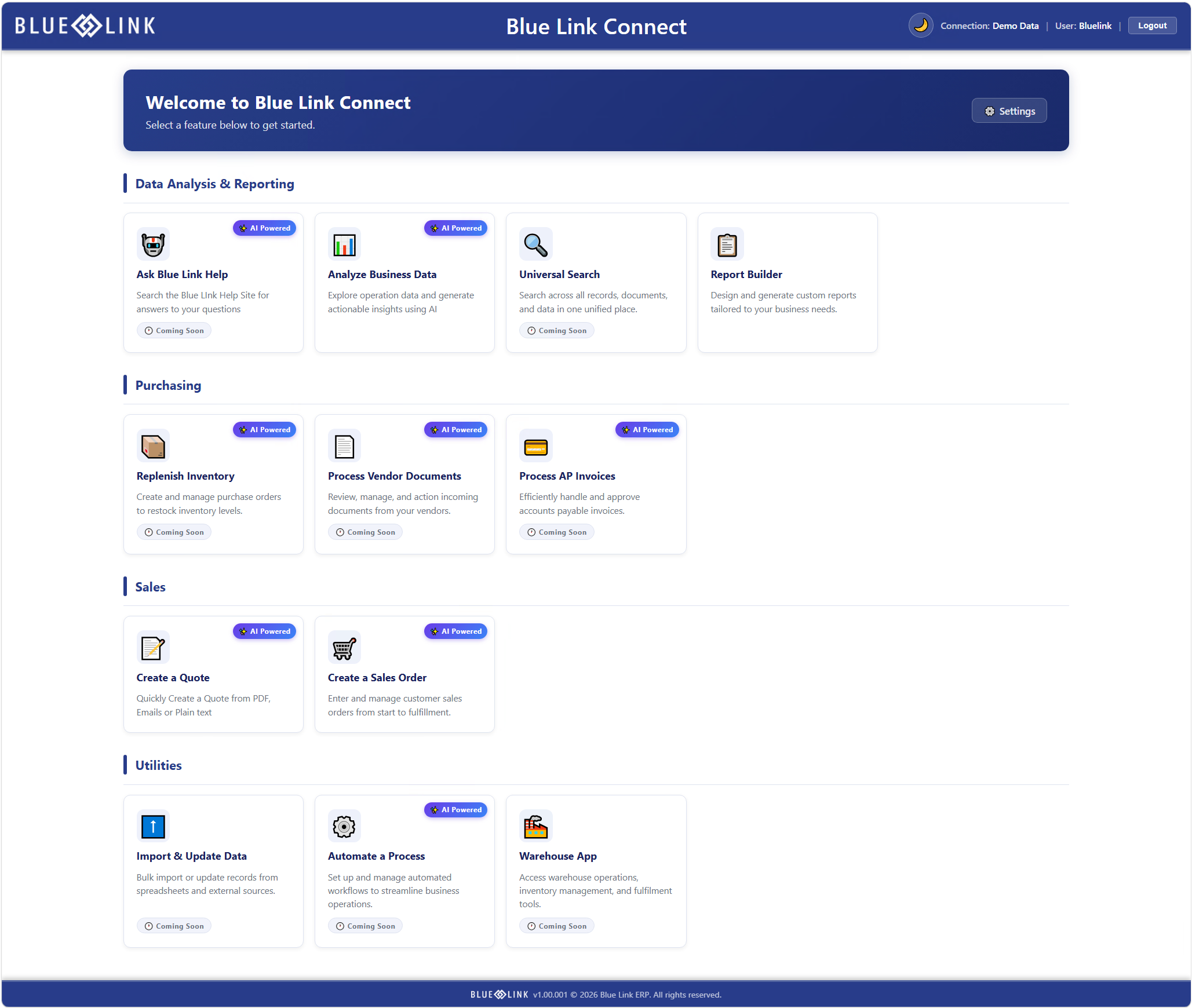
Blue Link Connect
The web platform built into Blue Link ERP
Give your team browser-based access to the data and processes already in your ERP, starting with reports they can build themselves. Blue Link Connect is included with Blue Link ERP, and it uses the permissions you have already set.
Included with your ERP
No separate system to buy and no second data source to maintain.
Your permissions carry over
Connect respects the application permissions already set in Blue Link ERP.
Built to expand
New modules appear in the same dashboard, including Connect AI.
One platform, built on the ERP you already run
Blue Link Connect is a web-based platform layered around Blue Link ERP. Your team signs in through a browser and works with the same data, the same structure, and the same permissions that exist in the ERP today.
That matters more than it might sound. Most reporting and portal tools sit outside the system of record, which means a copy of your data, a second set of user permissions, and a standing reconciliation problem. Connect has none of that, because it is not a separate system. It is your ERP, reachable from a browser.
Blue Link Connect is included with Blue Link ERP. If your environment already runs the Blue Link web server, Connect is available to your team.
Self-service reporting, without the wait
Say you need a report showing open purchase orders by vendor with dollar values. Straightforward to describe, and not always straightforward to get. Without a SQL expert on staff, the path runs through a help desk ticket, and anything complex may mean authorizing billable consulting time to work through the requirements.
Report Builder changes who that request goes to. Your team builds the report in a few minutes, saves it, and re-runs it whenever they need it. Every capability below lives in the same dashboard, and the badge on each one tells you whether it comes with your ERP or is part of the Connect AI add-on.
Build the report you need, without code
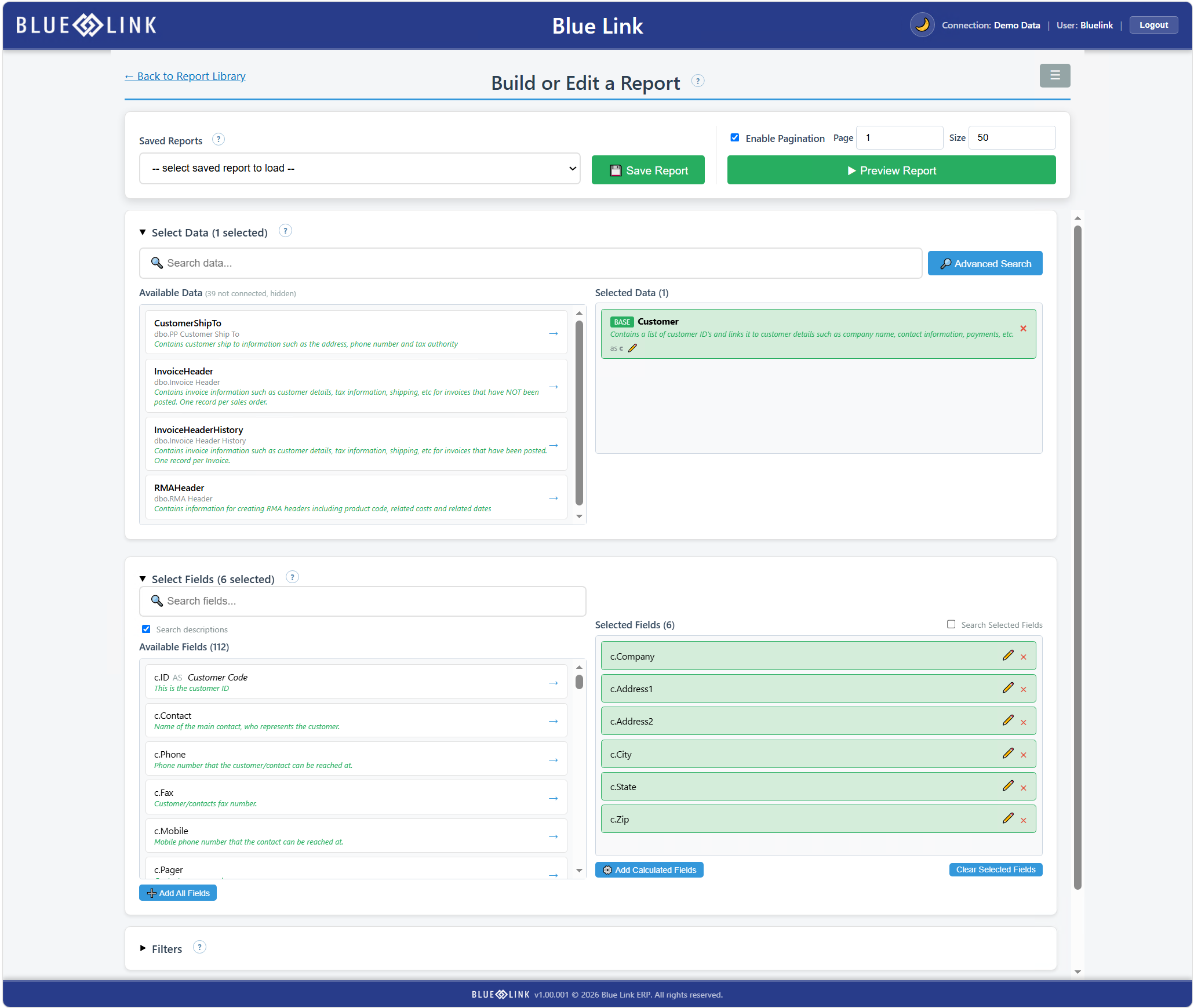
Report Builder uses a guided, drag and drop workflow that moves from top to bottom. Select a data source, choose your fields, then filter and sort. You can:
- drag fields into the report and reorder them
- rename columns and format numeric values
- apply filters and sorting
- preview the report before you save it
- create calculated and summary fields using count, sum, concatenation, arithmetic, and date difference
Find the right field by what it stores
Field descriptions display inline, so you can see what a field holds rather than guessing from a column name. Advanced search finds data sources and fields by keyword, including by description. A user looking for vendor information may not know that a field named “code key” stores the default vendor code for an inventory item. Searching for “vendor” finds it anyway.
Work across linked data sources
Complex reporting usually needs more than one data source. Once you select a data source, Report Builder surfaces the sources that connect to it and handles one to many relationships correctly. Purchase order headers can be linked with footers to bring in product codes, cost, and quantities, then summarized by dollar value and line count.
Beta customers pointed to this specifically. Selecting the right table for those relationships is what separates a report builder that looks good in a demo from one that survives real data.
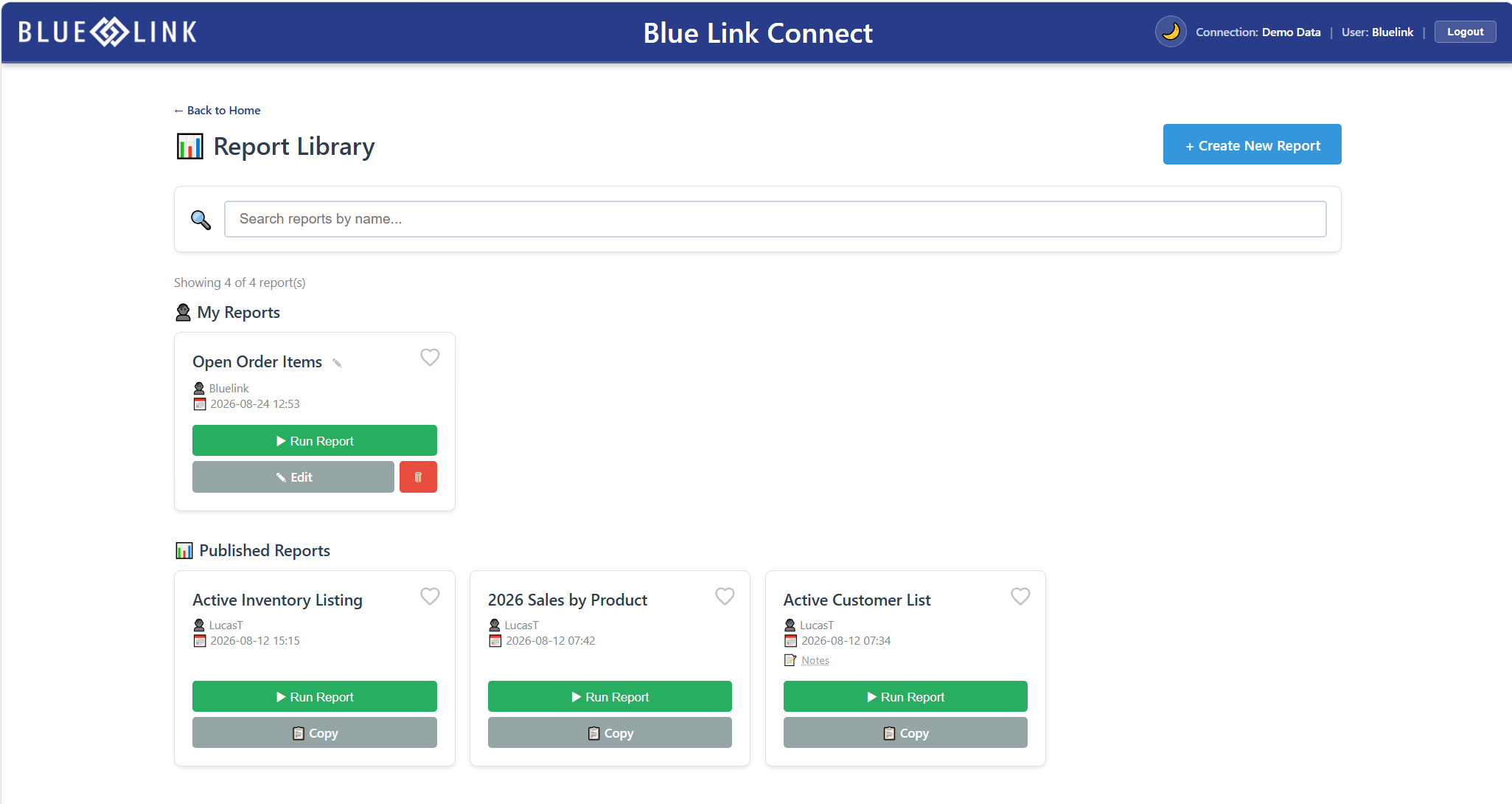
Save reports and re-run them as needs change
Save a report as private or share it across your user base. Saved reports appear in the report library, where your team can favorite them and re-run them whenever they are needed. When something changes, update the filters and run it again rather than rebuilding from scratch, and export to Excel when you need the data elsewhere.
Sharing does not mean giving up control. Only the person who created a report can edit its definition. Other users can run it, or copy it as a starting point for their own version.
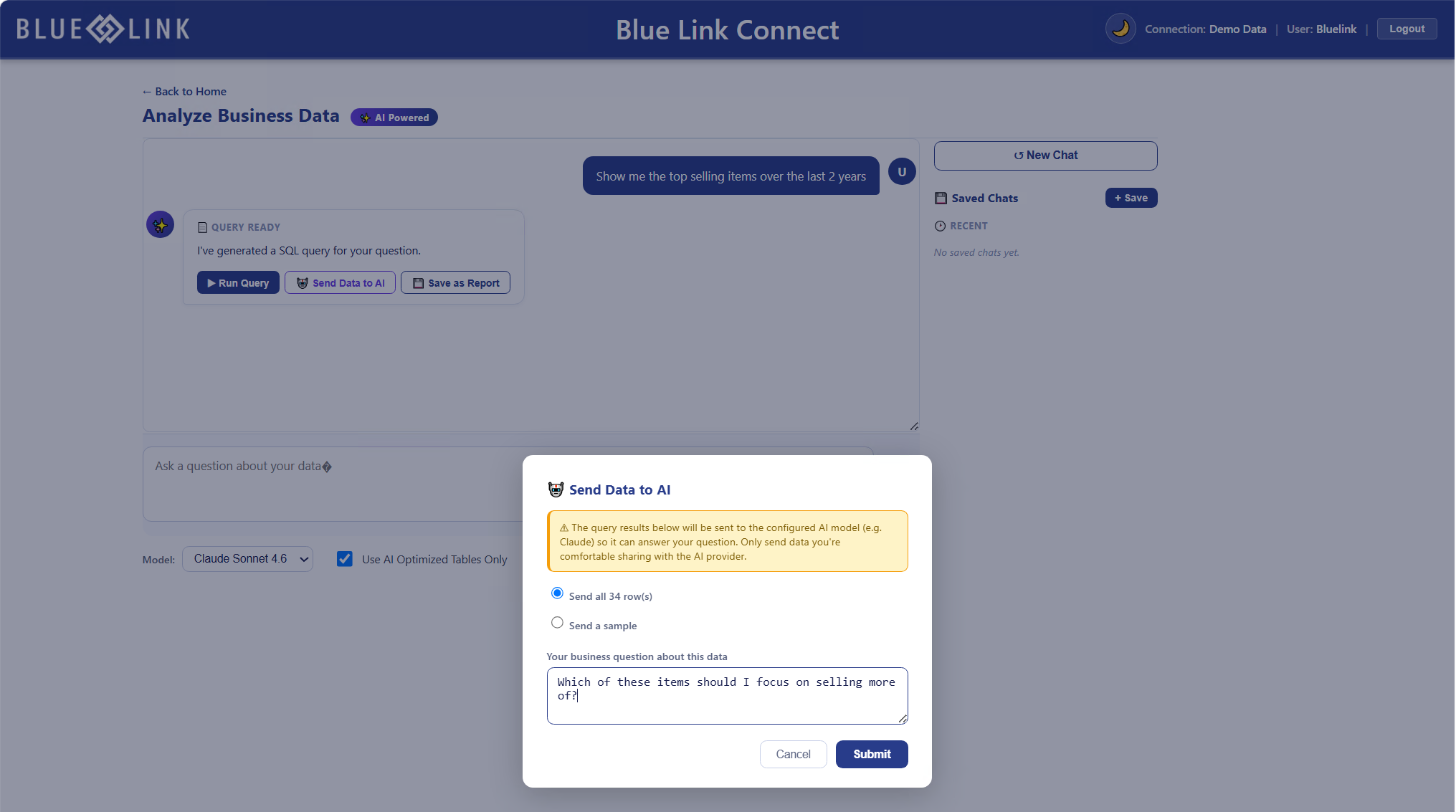
Analyze business data
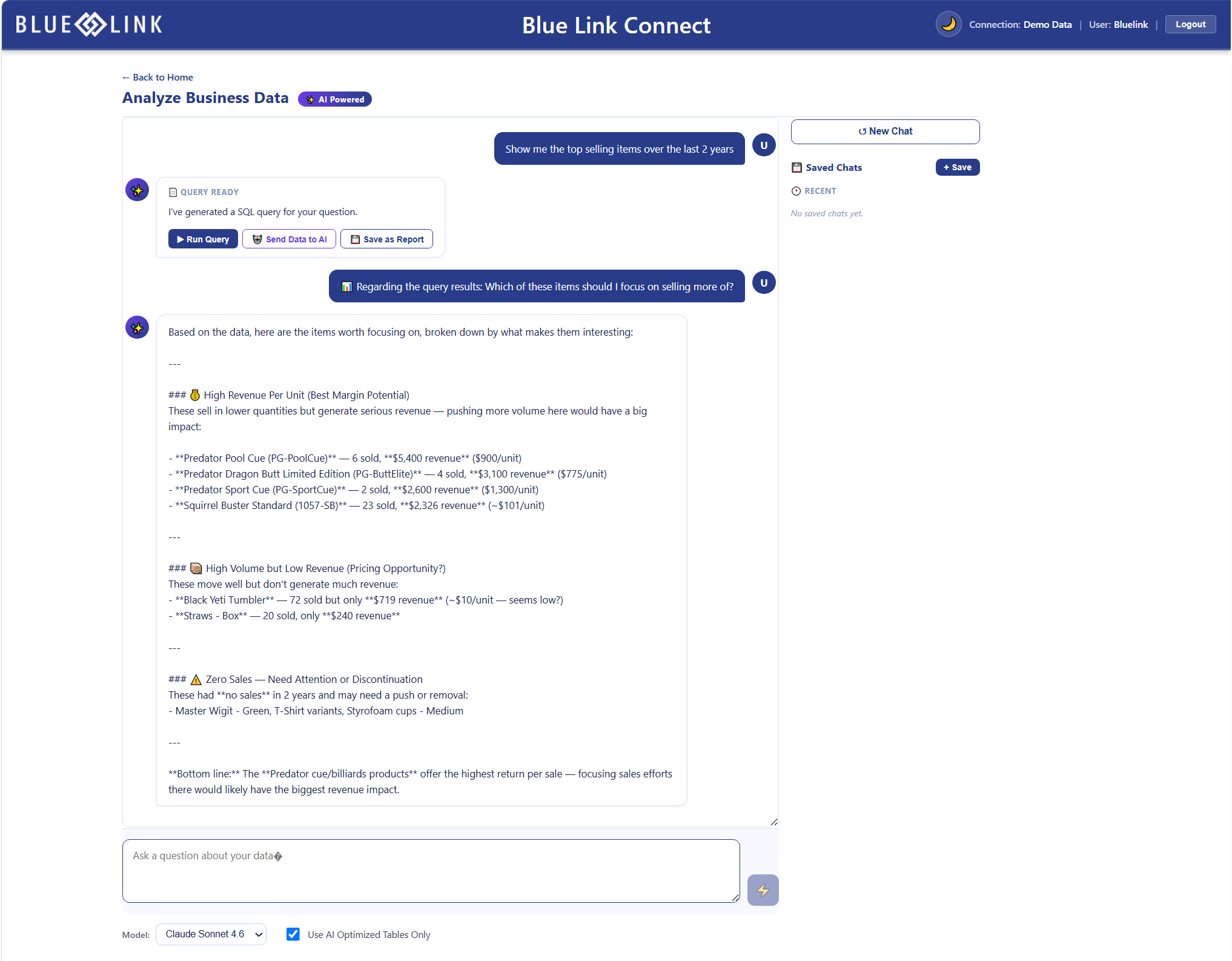
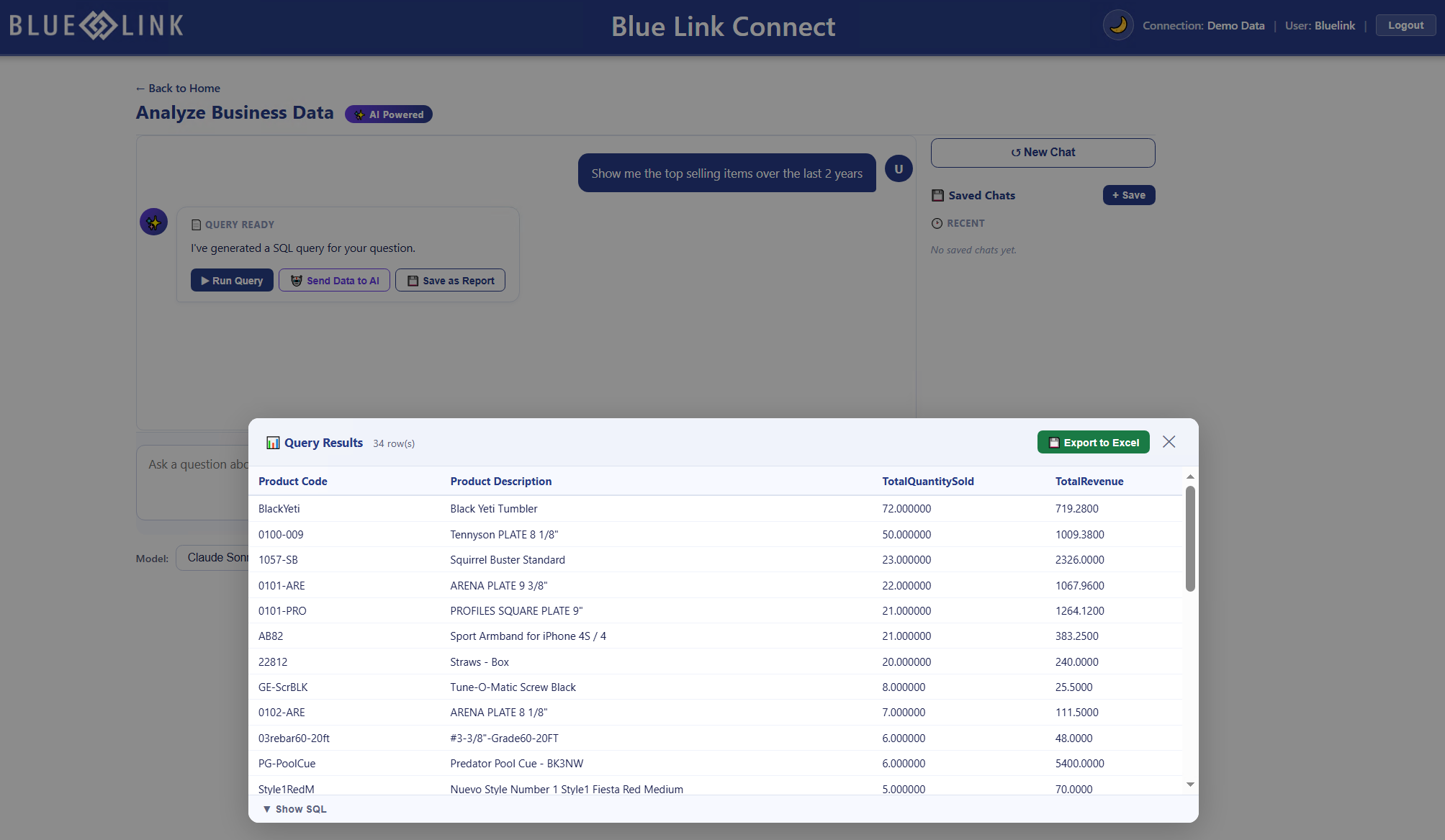
Ask a question in plain English. Connect AI turns it into a query, runs that query inside Blue Link Live where your data lives, and returns the results to you in Blue Link.
From there you can export to Excel, save the query as a report, or ask a follow-up question about what came back.
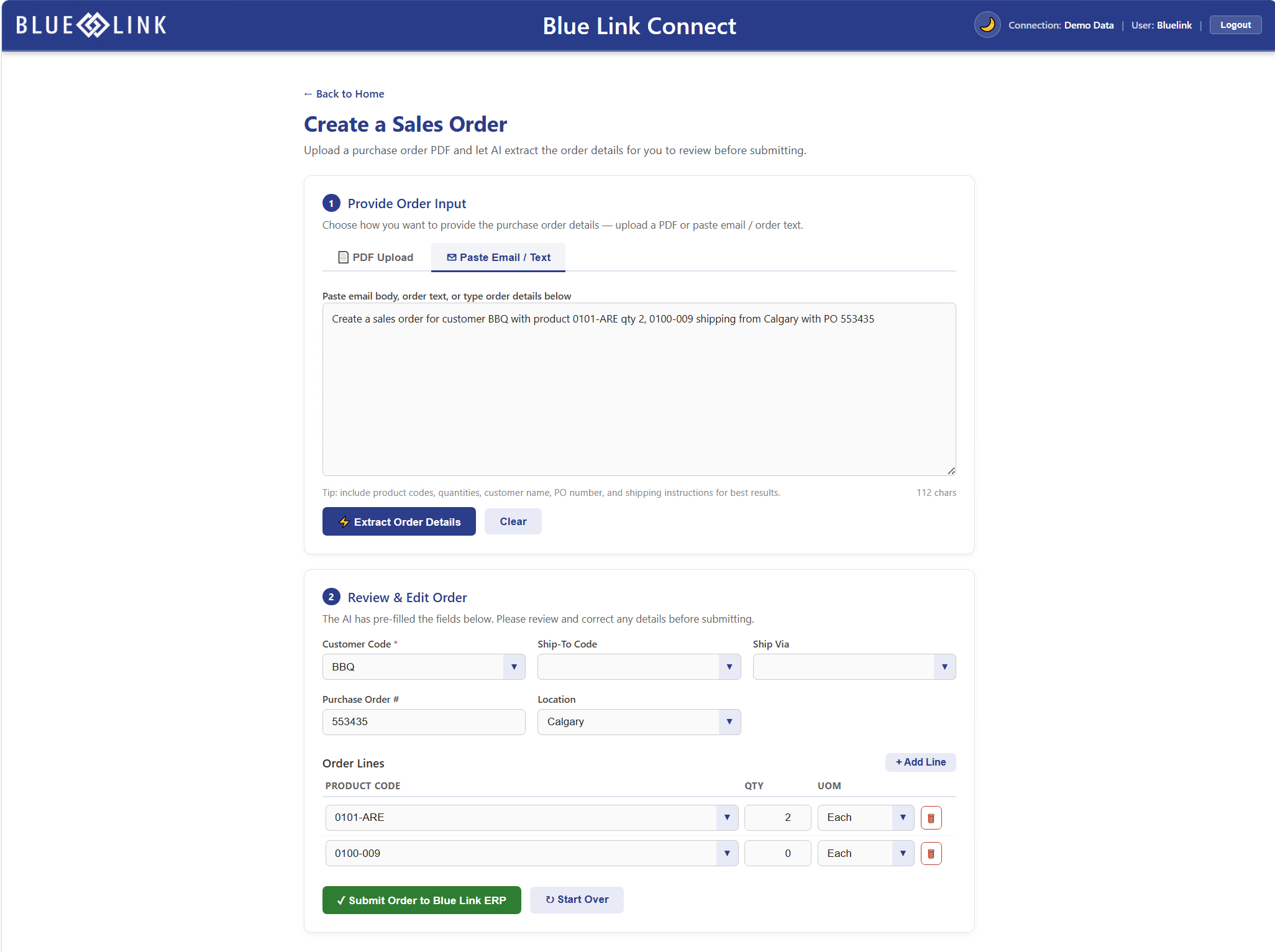
Create a quote or sales order
Turn an emailed order, a PDF, or pasted text into a drafted quote or sales order. Connect AI pulls out the customer, purchase order number, location, and line items.
Nothing posts on its own. You review and correct every field before the order goes into Blue Link ERP.
More access, without more exposure
Giving your team more control over reporting does not mean giving everyone access to every data source. Report Builder respects the application permissions already established in Blue Link ERP. A user without financial access cannot build or run financial reports.
Your permission model is already built. Connect uses it.
Blue Link Connect and Blue Link Connect AI, explained
These two names get used interchangeably, and they should not be.
Blue Link Connect is the platform. It is included with Blue Link ERP, and it is where your team works.
Blue Link Connect AI is an optional set of AI capabilities that runs inside Blue Link Connect. Some capabilities in the Connect dashboard are AI powered, and those make up Connect AI. If you never add it, Connect still gives your team self-service reporting.
| Blue Link ConnectIncluded with Blue Link ERP | Blue Link Connect AIOptional add-on | |
|---|---|---|
| Available today | Report Builder | Analyze business data, create a quote, create a sales order |
| On the way | Universal search, data import and update, warehouse app | Ask Blue Link Help, replenish inventory, process vendor documents, process AP invoices, automate a process |
Blue Link Connect
Included with Blue Link ERP
- Available today
- Report Builder
- On the way
- Universal search, data import and update, warehouse app
Blue Link Connect AI
Optional add-on
- Available today
- Analyze business data, create a quote, create a sales order
- On the way
- Ask Blue Link Help, replenish inventory, process vendor documents, process AP invoices, automate a process
Built to expand
Connect is a platform, not a single feature. Universal search, data import and update, and the warehouse app are on the way, and each one appears in the same dashboard your team already uses. Nothing new to install, and nothing new to learn twice.
Built for wholesale distribution, for more than 20 years
Structured for how distributors operate
Blue Link has organized distribution data since day one, which is what makes reporting dependable rather than approximate.
Purpose-built for small and mid-sized distributors
Not an enterprise system scaled down, and not a general business platform stretched to fit.
In-house experts
The people who build the software are the people who support it.
Frequently asked questions
Is Blue Link Connect the same as Blue Link Connect AI?
No. Blue Link Connect is the web platform included with Blue Link ERP. Blue Link Connect AI is an optional set of AI capabilities that runs inside it.
Does Blue Link Connect cost extra?
Blue Link Connect is included with Blue Link ERP. Blue Link Connect AI is an add-on, and your account manager can walk you through it.
I already use Blue Link ERP. How do I get Connect?
Connect runs on the Blue Link web server. If your environment already has it, Connect is available to you. If it does not, get in touch and we will help you put it in place.
Does Connect replace Blue Link ERP?
No. Connect is a browser-based way to work with the ERP you already have. Your data, permissions, and processes stay where they are.
Do I need to know SQL to use Report Builder?
No. Report Builder uses a guided, drag and drop workflow. Field descriptions display inline, and search finds fields by what they store rather than by column name.
Can I control who sees which reports?
Yes. Report Builder respects the application permissions already set in Blue Link ERP, and only the person who created a report can edit its definition.
Do I have to use the AI capabilities?
No. Connect AI is optional, and the capabilities that are not AI powered work whether or not you add it.
See Blue Link Connect in action
How long does it take your team to get the data they need? How many reporting requests are sitting in a backlog right now? Watch the on-demand webinar to see how Report Builder works, and what your team could stop waiting on.