Product releases
What’s new in Blue Link
Every recent release, and what each one means for your team
New capabilities are landing across the Blue Link platform, the ERP, and the ordering portal. This page keeps every recent release in one place, with a short explanation of what each one does and a link to the full detail.
Already a Blue Link customer? Some of what follows is included with your ERP.
Included with your ERP
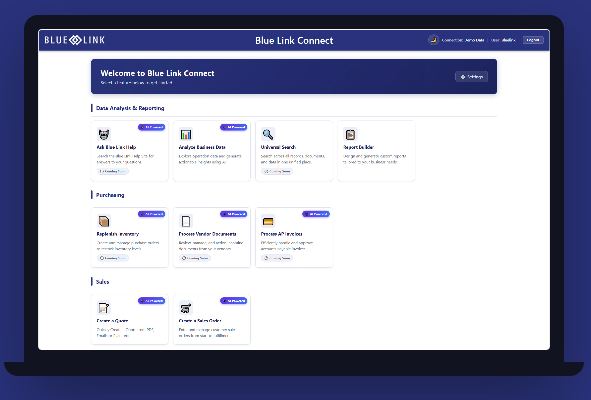
Blue Link Connect: your ERP, reachable through a browser
Blue Link Connect is the web platform included with Blue Link ERP. It is not a second system and it is not a separate data source. It is your ERP, reached through a browser, running on the same structured distribution data and the same user permissions your team already has.
- Nothing to buy. Connect is included with Blue Link ERP for customers running the web server.
- Nothing new to secure. Connect inherits the application permissions already established in your ERP.
- Nothing to migrate. Your data stays exactly where it is.
Available now
Report Builder: build the report yourself, in minutes
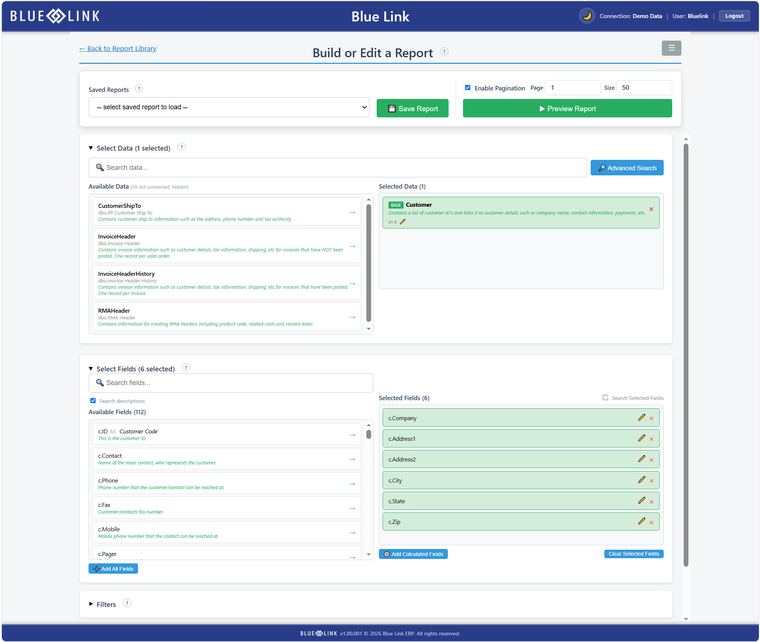
Report Builder is the first capability available in Connect, and it is the clearest proof that the platform earns its place. Your team designs a report through a guided, drag and drop workflow. There is no SQL to write, no help desk ticket to file, and no billable consulting time to define requirements.
- Choose a data source, select your fields, then filter and sort. Preview the report before you save it.
- Search field descriptions by keyword, so you can find a field by what it stores rather than by a column name.
- Save a report as private or share it, favorite it, re-run it, adjust a filter, and export to Excel.
Optional add-on
Blue Link Connect AI: ask for your data in plain English
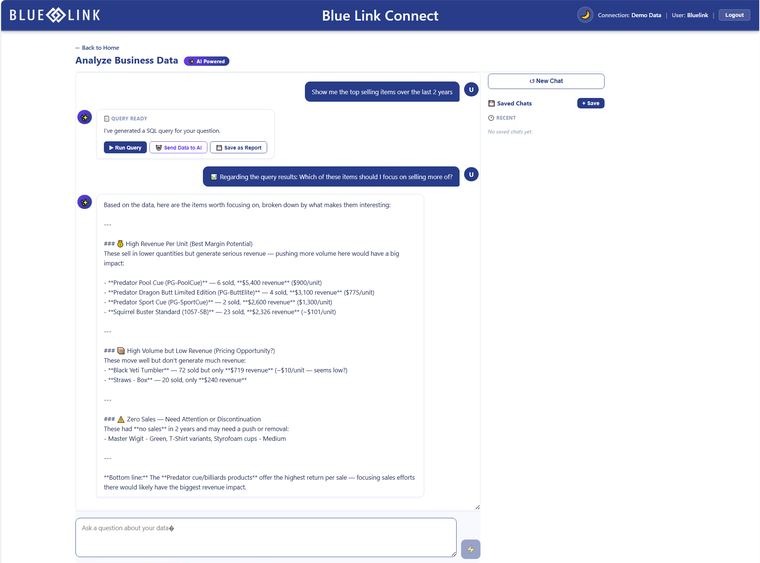
Blue Link Connect AI is an optional set of AI capabilities that runs inside Blue Link Connect. Ask a question the way you would ask a colleague, and get back a table you can review, export, or save as a report. Turn an emailed order or a purchase order PDF into a drafted sales order. The AI never touches your database, and nothing posts until someone reviews it.
- Your question becomes a query. That query runs inside Blue Link Live, where your data already lives.
- Sending data to the AI for deeper analysis is a separate step, controlled by your security settings.
- Connect AI drafts. Your team checks the work and decides what goes into the ERP.
In beta
Sales Rep+: your reps should not need the ERP to close a sale
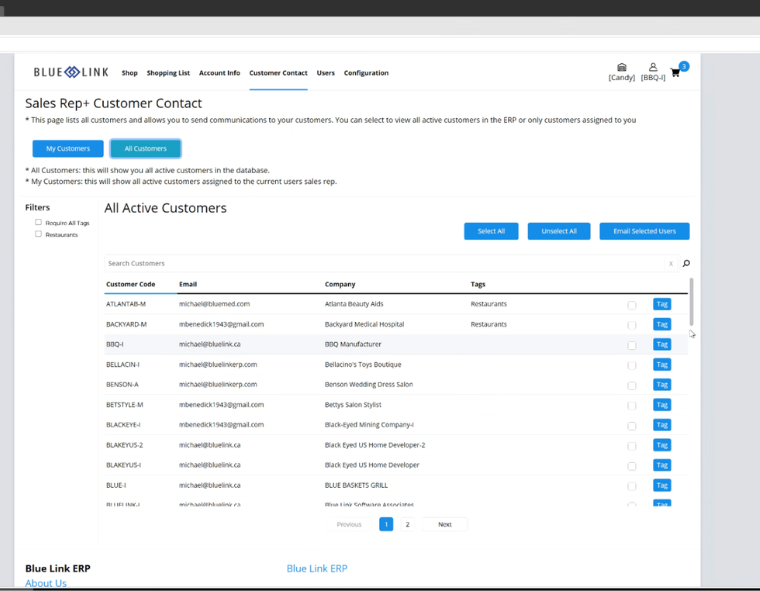
Sales Rep+ is a new component of the B2B Ordering Platform, built for the way your reps sell. Right now your reps work across two or three systems to do one job. They build the order in the portal, open the ERP to check real stock, and call the office to approve a price. Sales Rep+ closes that gap with a rep-only view inside the portal they already use.
- Reps see every account assigned to them, with contact details, and can email one customer or the whole list.
- Reps see warehouse stock levels, cost information, and inbound product detail, so stock can be presold with confidence.
- Reps adjust pricing within the rules you already set in Blue Link ERP, and check order status without leaving the portal.
Product updates only. You can unsubscribe at any time.
See any of this running on your data
A walkthrough on sample data only tells you so much. Get in touch and we will show you what these releases do with the kind of reporting, ordering, and sales work your team handles every week.