SQL Server Reporting Overview

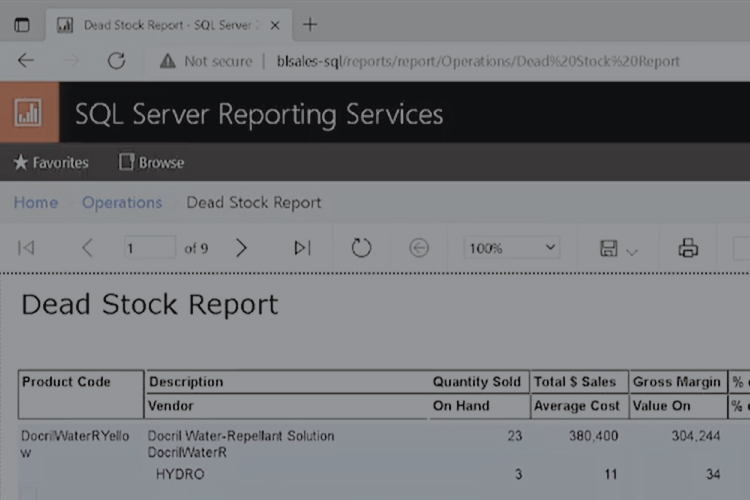
SQL Server Dead Stock Report

Transcription 0:00 – 0:22 SQL Server Reporting Services, also known as SQL reports, are available to every Blue link user at no extra costs. It’s a powerful and flexible reporting tool that is accessed through a web browser, and it doesn’t need any extra special software to use. 0:23 – 0:37  SQO Reports are organized … Read more

Sales Reports

Transcription 0:00-0:25 When it come to sales reports and sales dashboards, Blue Link has robust reporting features to help your business. We have many basic built-in reports such as top inventory sales showcasing our best selling items by dollars and quantity to detailed sales reports by customer, by product, sales by category, at a summary … Read more

Accounting Reports

Accounting Reports

Transcription 0:00–0:25 Blue Link ERP, contains all the accounting reports you would expect in an inventory and accounting system. For example, Blue Link includes customer or vendor aging reports in summary or detail, current or retroactive, as well as more operational reports such as vendor payment requirement reports and deposit history reports.   0:25–0:40 Another … Read more

Operations Reports

Operation Reporting Dashboard in Blue Link ERP

Transcription 0:00-0:30 Blue Link ERP helps you manage your operations and supply chain with purchasing and inventory reports, dashboards, and other information. Blue Link has a lot of built-in reports to allow you to manage inventory at a detailed level, such as inventory movement reports, inventory availability by location or warehouse and inventory evaluation in … Read more

Customer Payments with ERP

Shopping cart and bag depicting customer purchase

Transcription 0:00-0:25 This video will show you how to record payments from customers and how to record any payments that go NSF. Both of these steps are done in the record payments and SF screen, which can be found in the accounts receivable drop down menu.   0:25-1:00 The first step is determining how you’re … Read more

The Collections Process

Past Due Notice for Collections

Transcription 0:02 – 0:17 Blue Link can be used to assist your AR collections process in the traditional manner by providing you with an AR aging to sift through in order to determine which customers to call and on which to record your notes as you do make those collection calls. We don’t, however, recommend … Read more

Vendor Payment Functionality

Person making a payment online to a vendor

Transcription 0:00-0:20 We’re now going to take a look at Blue Link’s alternate vendor payment functionality. This functionality allows you to play a supplier invoice by creating a payable to another supplier. Most common scenario being paying one of your supplier invoices with a credit card. 0:20-0:35 We’re going to look at two scenarios in … Read more

Payments and Deposits

Piggy Banks

Transcription 0:00-0:40 Let’s take a look at how to record a miscellaneous bank transaction, whether that miscellaneous transaction is a payment or deposit. So these would be payments or deposits that do not result from receiving money from a accounts receivable customer owes you money and it’s not part of our regular bank payment when … Read more

How to Transfer Funds with ERP

Transfer funds with Blue Link ERP

Transcription 0:03 – 0:14 We’re now going to take a look at how to transfer funds between bank accounts within Blue link. To do so, we’re going to open up the transfer funds screen, which can be found in bank management. And then transfer funds. 0:15 – 0:32 Once the screen is open, you’re going … Read more

Bank Payment Runs

Women submitting payments online

Transcription 0:00-0:20 Bank payment runs or used to pay suppliers and also potentially to refund customers. And you can do bank payment runs when you’re paying by cheque or if you’re generating a ACH or EFT file to pay your supplies electronically etc. The idea is that the system allows you to select multiple items … Read more